BatchPass is a local-first Windows file verification application designed to ensure safe and repeatable file deliveries. It evaluates delivery folders against customizable, reusable Profiles to catch issues like missing files, naming errors, and exact duplicates before handoff. Users can also verify folders against Saved Records using SHA-256 digital fingerprints and compare version records to track modifications.
Highlights
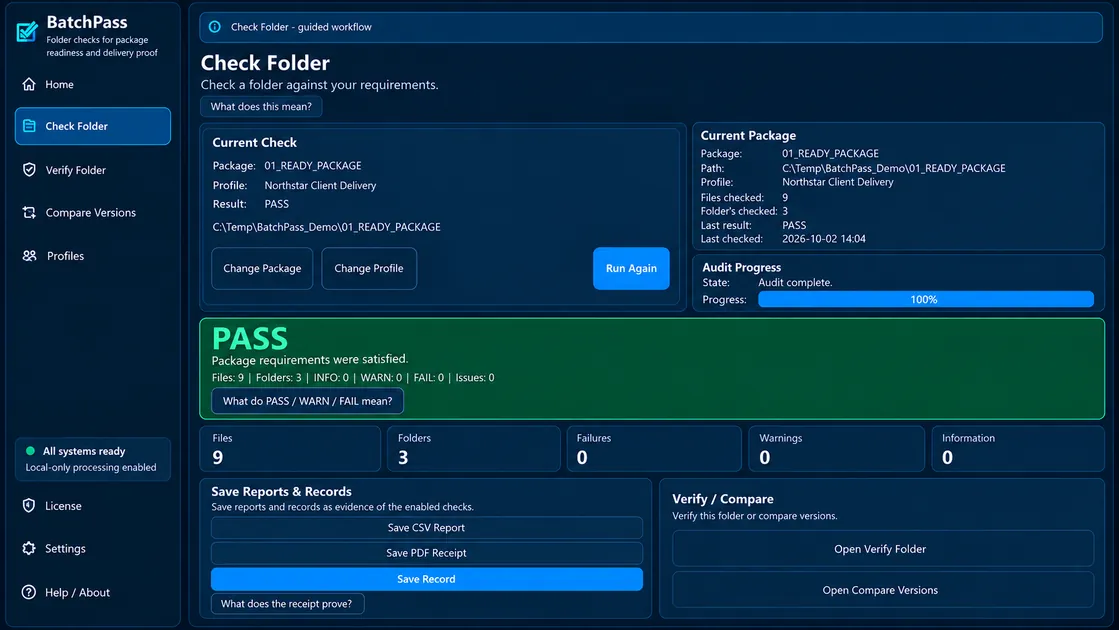
- Checks delivery folders against reusable Profiles to identify missing files, empty files, exact duplicates, naming issues, sequence gaps, and size limits.
- Performs read-only audits that check and report without moving, renaming, overwriting, repairing, or deleting files.
- Verifies current folders against Saved Records using recorded file paths and SHA-256 digital fingerprints to identify modified, missing, or unexpected files.
- Compares saved folder versions (Earlier Version vs. Newer Version) to highlight Added, Removed, Modified, Unchanged, and Likely Renamed files.
- Operates locally on Windows systems, keeping folder contents on the local machine without requiring cloud uploads.
- Generates detailed reports with PASS, WARN, and FAIL results, and allows saving records for future verification audits.
Who it's for
- Professionals who manage repeatable, rules-based file deliveries and need to verify folder contents before sending.
- Teams requiring local-first file verification without uploading sensitive folder contents to cloud services.
- Anyone needing to audit folder differences, track file changes across versions, and maintain records of handoffs.
 ToolRoots